> For the complete documentation index, see [llms.txt](https://docs.yamato.fi/llms.txt). Markdown versions of documentation pages are available by appending `.md` to page URLs; this page is available as [Markdown](https://docs.yamato.fi/en/user-guide/claim-reward.md).
# Claim rewards
👉 **Initial User Reward**
The initial user reward is YMT allocated based on user activity before the launch of Yamato Protocol v1.5.
{% hint style="info" %}
The amount of the initial reward starts from 0% as of May 10, 2025.
Over time, the claimable amount will gradually increase, and by May 10, 2026, 100% of the reward will be available for claiming.
The claimable amount increases linearly over time.
{% endhint %}
👉 **How to Claim the Initial User Reward**
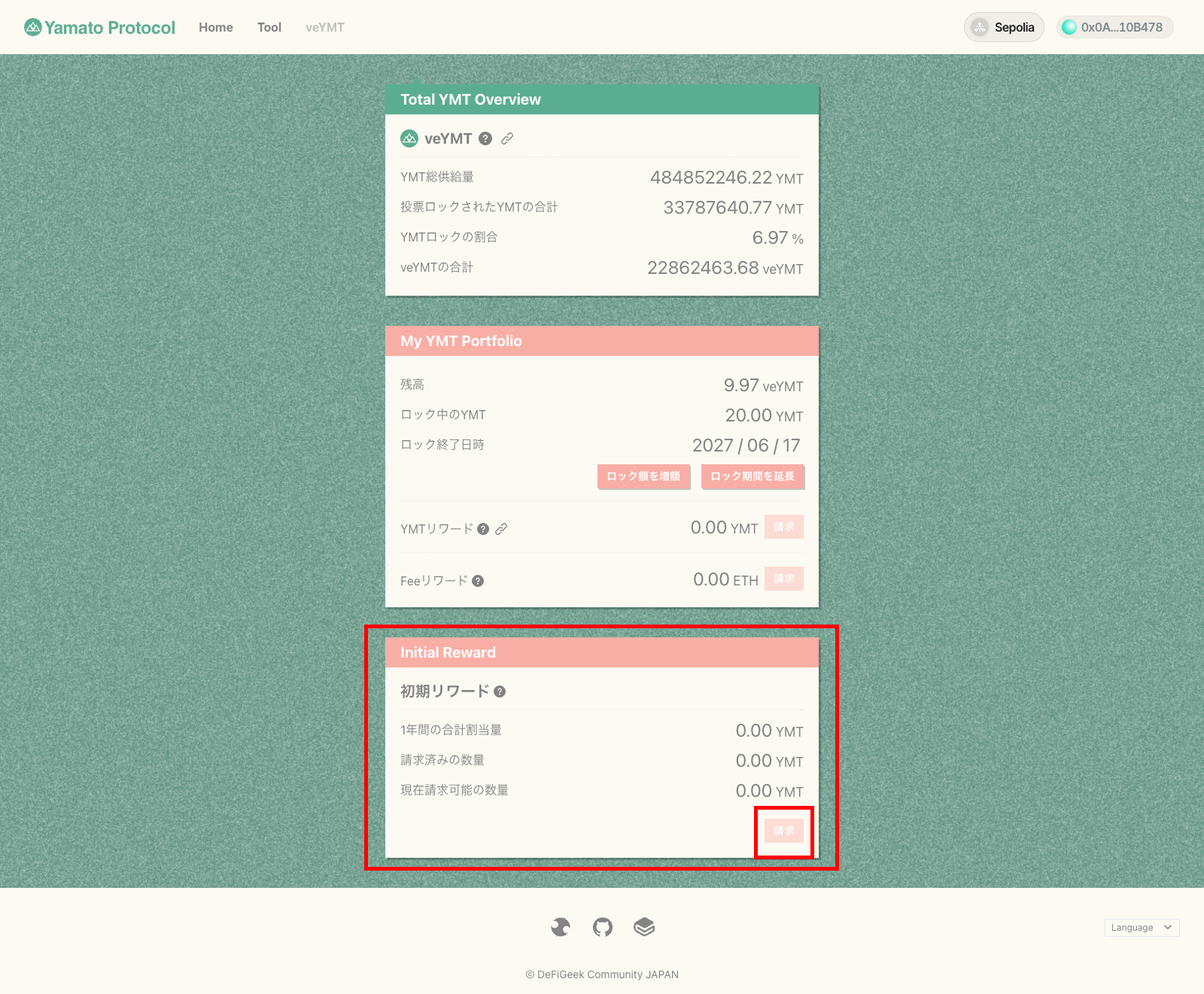
At the bottom of the veYMT interface, there is a section for the initial reward.
When the currently claimable amount is not 0 YMT, the "Claim" button at the bottom of the section becomes active.
Click the button.
Once the wallet popup appears, check the claim amount and gas fee, then proceed with the claim transaction.
After the transaction is successful, please check your wallet to confirm that the YMT reward has been received 🎉
👉 **User Rewards**
There are two types of user rewards: YMT rewards and Fee rewards.
YMT rewards are earned based on your outstanding CJPY borrowing in the Yamato Protocol.
These rewards are boosted based on your veYMT holdings and your collateral ratio.
You can check how the boost works [here](https://github.com/DeFiGeek-Community/yamato-docs/blob/main/english/ymt-yamato-dao-token/toveymtniyorufmingubsuto.md).
Fee rewards are distributed based on ETH collected from Yamato redemptions, according to veYMT holdings.
👉 **How to Claim User Rewards**
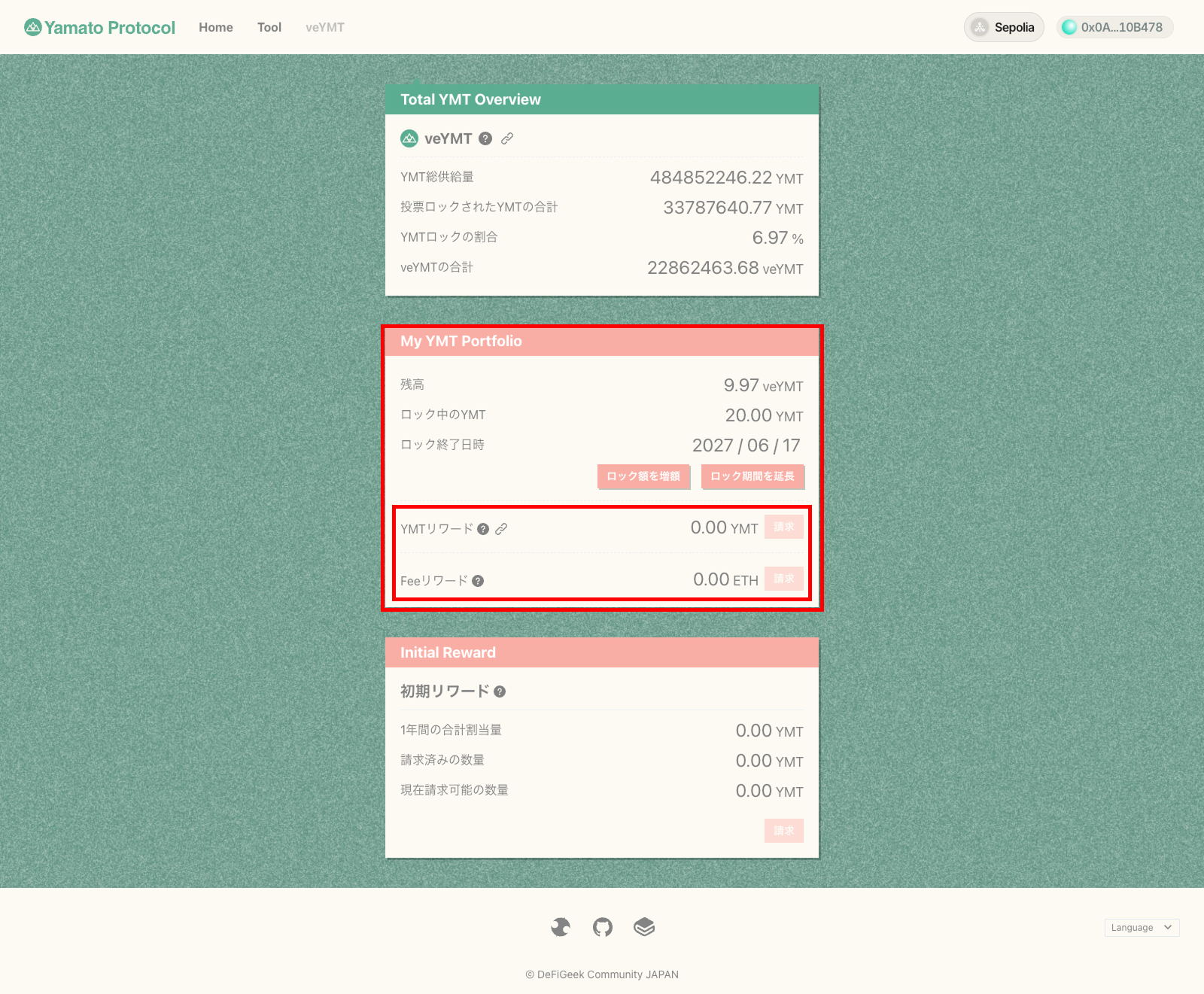
In the middle of the veYMT interface, there is a section titled "YMT Portfolio."
When the YMT reward or Fee reward is not 0, the respective "Claim" buttons within the section become active. Click them.
Once the wallet popup appears, check the claim amount and gas fee, then proceed with the claim transaction.
After the transaction is successful, please check your wallet to confirm that each reward has been received 🎉